
About
Cline is a VS Code extension with an autonomous AI agent: it edits files, runs terminal commands and supports MCP. It works with any OpenAI-compatible provider, including our gateway.
How to connect
How to connect
- Install the Cline extension from the VS Code Marketplace and open its panel.
- Click the ⚙️ (Settings) icon in the Cline panel.
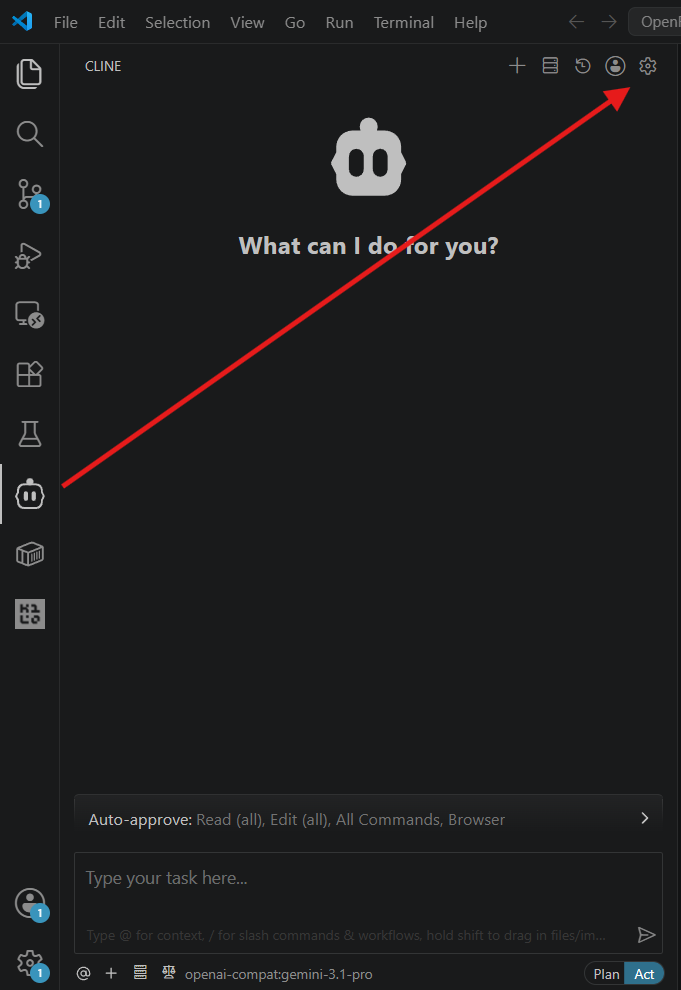
Set API Provider to OpenAI Compatible.
Fill in the fields:
- Base URL:
https://api.openrussiarouter.com/v1 - API Key: your
sk-or-...key - Model ID: an ID from the Models catalog.
- Base URL:
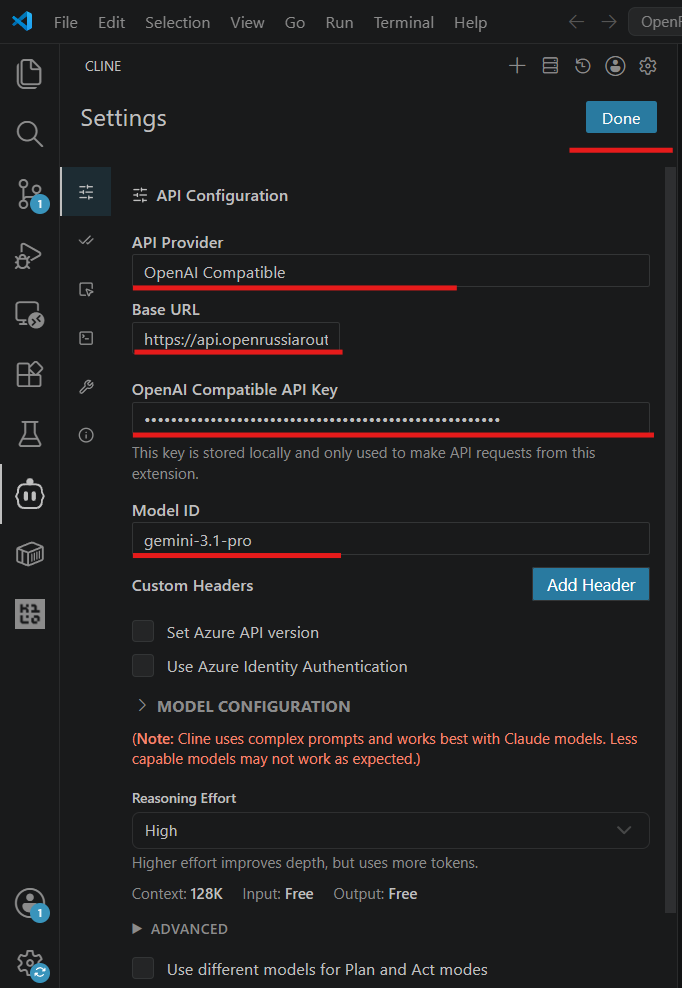
- Save the settings and send a chat message — a model reply confirms the connection.